


iRacing 101: New Sim UI
September 12th, 2025 by Chris Leone
Welcome to iRacing 101, where each week we’ll go through some of the many features that make iRacing the World’s Premier Motorsport Simulation. From highlighting our features to some of the top series and forms of racing you’ll encounter when you get behind the wheel.
This week’s topic: What is iRacing’s new Sim UI?
Released in time for 2025 Season 4, iRacing’s new Sim UI is a modernization of our in-sim experience. We’ve rebuilt the Sim UI on an all-new framework using modern technology, preserving all of the functionality of the previous version while adding select expanded features and tweaks. Moving forward, the new Sim UI provides a foundation for further significant progress, including additional features and customization options.
What are some of the changes that I can expect in the new sim UI?
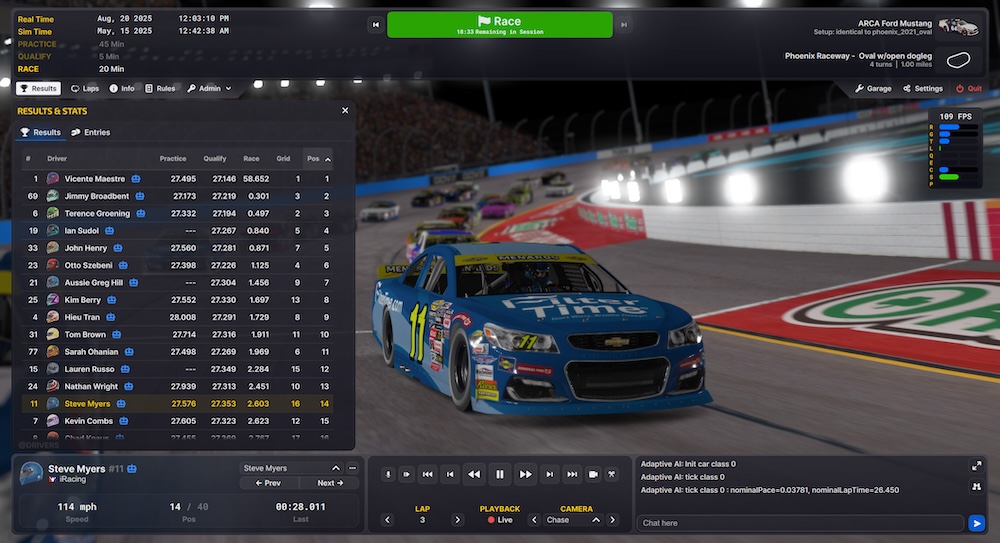
The new Sim UI is much more configurable than the previous version, and it provides additional data and setting options that were not available before.
Elements that have been redesigned include Black Boxes, Sim Options, and the Camera Tool. The Relative and Standings Black Boxes now provide additional data, and can be seen in both minimized and expanded states. Sim Options have been reorganized, while a table of contents and explanations have also been added. The Camera Tool has also seen a design update, and can now be accessed by both a devoted button on the Session screen and its traditional Ctrl+F12 binding.
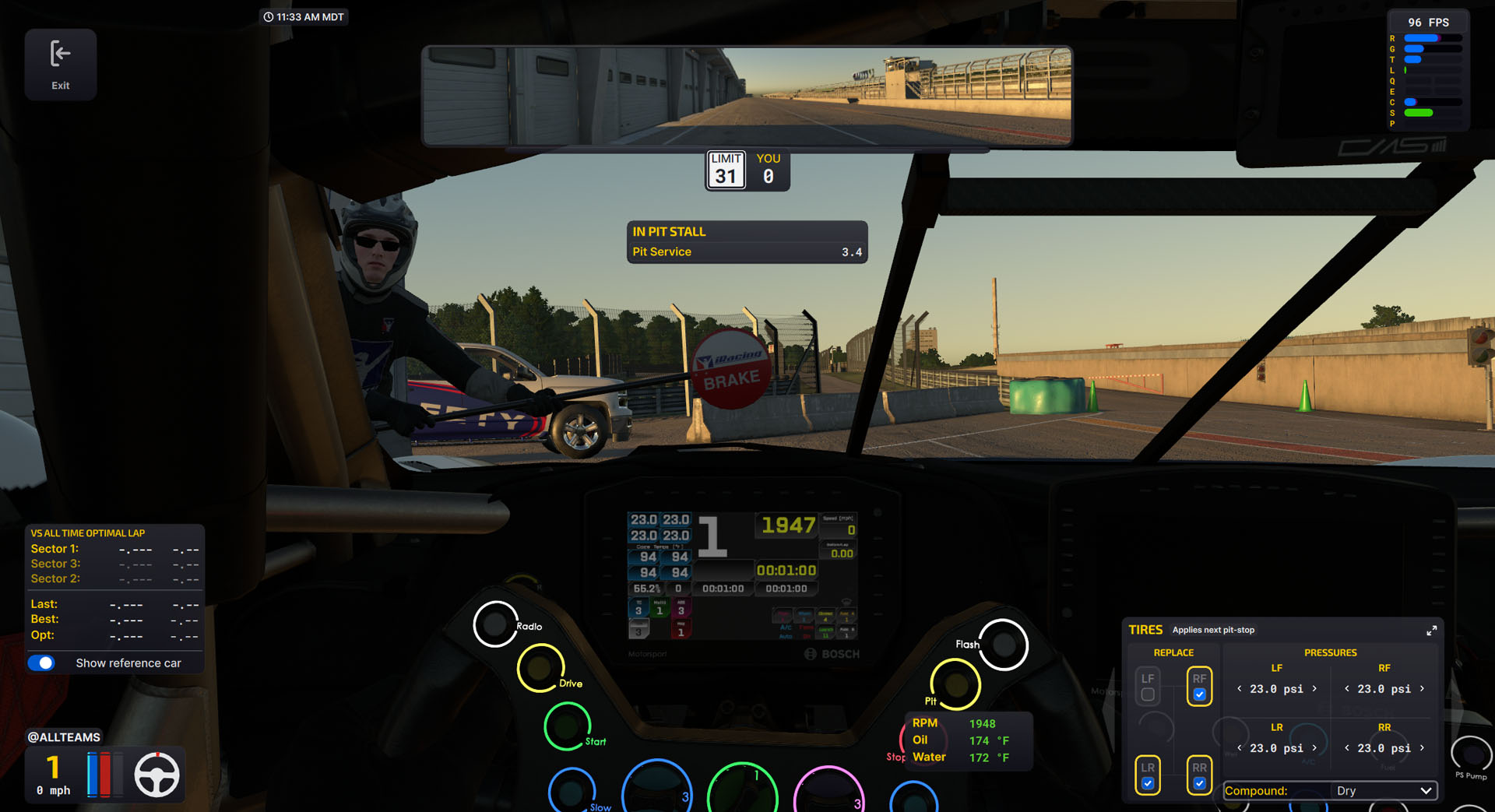
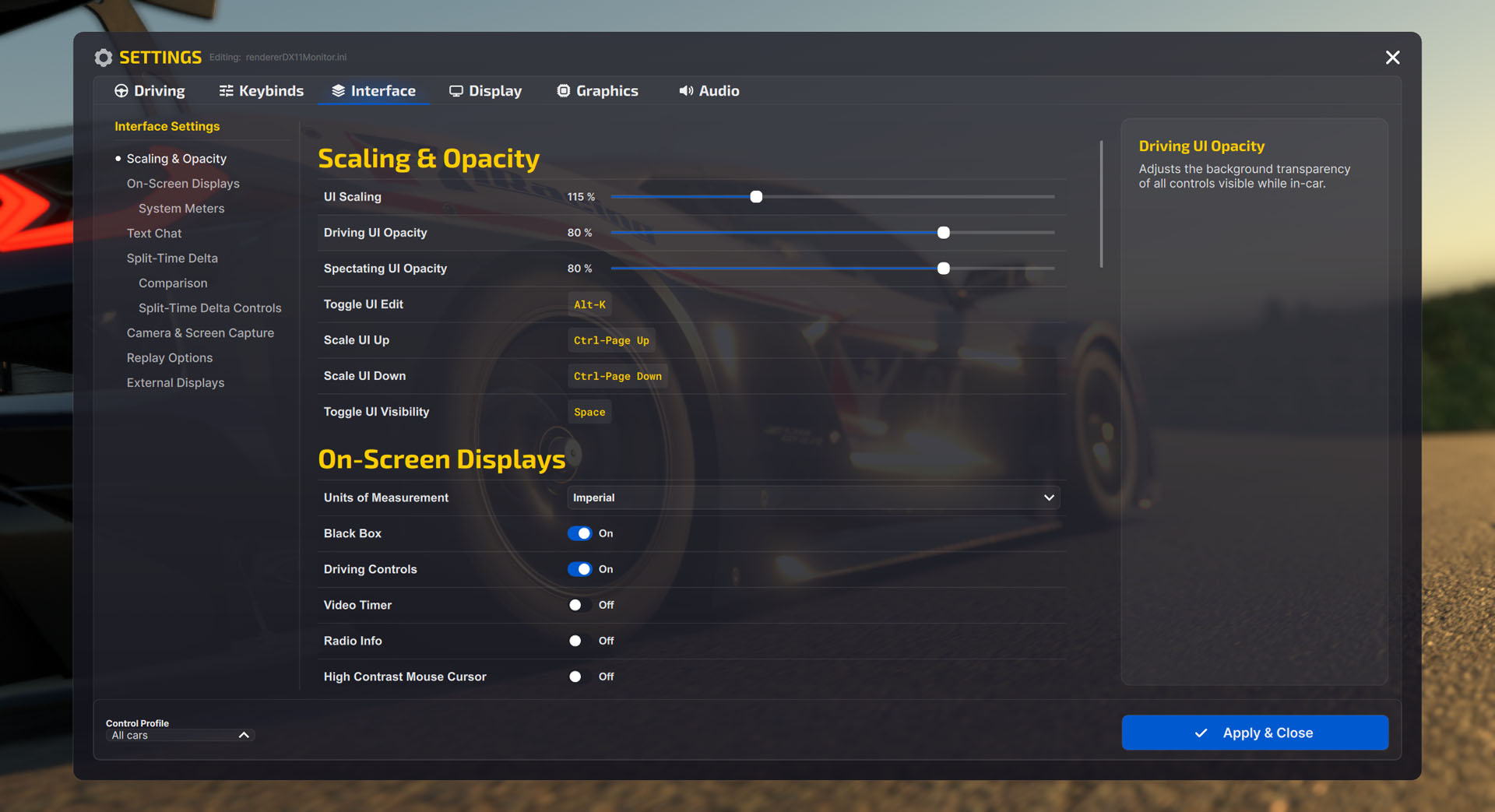
The Alt+K binding will allow you to move elements around, enable/disable all moveable elements, and select the size of your virtual mirror. Additional new settings include the ability to display your local wall-clock time and adjust UI scale and opacity. A reset button is also available for you to start over from our default settings if you don’t like what you’re seeing.
The new Sim UI’s framework also allows for additional refinements to be offered in future iRacing builds. Many new data options and customization features are already in development.
Does this affect the non-sim iRacing application?
No, the new Sim UI does not affect the non-sim iRacing application (before you load into an on-track session). With that said, we’re continuing to refine the non-sim application as well, including localization efforts that have started with European Spanish.
Can I go back to the previous Sim UI?
No, the new Sim UI has overwritten the previous version.
Where can I provide feedback on the new Sim UI?
We’ve created a devoted forum for the new Sim UI for you to share your thoughts: https://forums.iracing.com/categories/sim-ui
Interested in learning more about iRacing? Click here for the full iRacing 101 archives!

You may also like...




OFFICIAL PARTNERS:











Customize Cookie Settings
Performance Cookies
These cookies gather data on how visitors use this website – which pages are visited most often, for example.
Functional Cookies
These cookies remember website preferences and generally improve the performance of the site for the user.
Marketing Cookies
These cookies are used to provide a customized experience and can be used to provide targeted ads through advertising networks.

Enhance Your Experience with Cookies
We use cookies to improve your site experience. Customize your cookie preferences below.
Copyright © 2026 iRacing.com Motorsport Simulations, LLC. All Rights Reserved.